Sponsored byAsInstant- Automating your business through advanced AI Solutions
BAT AI TOOLSBAT AI TOOLS
  • Tools
  • Category
  • Jobs
  • Pricing
  • PromoFREE
Free Submit
Sign In
  • Home
  • /
  • AI Assistant
  • /
  • NavamAI
NavamAI

NavamAI

Active
Tagline:Turn your Terminal into a configurable, interactive personal AI app
Updated:-
Social Media:
AI AssistantAI ChatbotAI AgentAI Developer ToolsPrompt Engineering ToolsAI WritingAI Web Scraping ToolsCoding & DevelopmentOpen SourceFreePrivacy-FocusedOffline SupportFor DevelopersHighly CustomizableZero SetupMac Compatible
Open Website
NavamAI
Visit Website
|
  • About
  • Pricing

What is NavamAI?

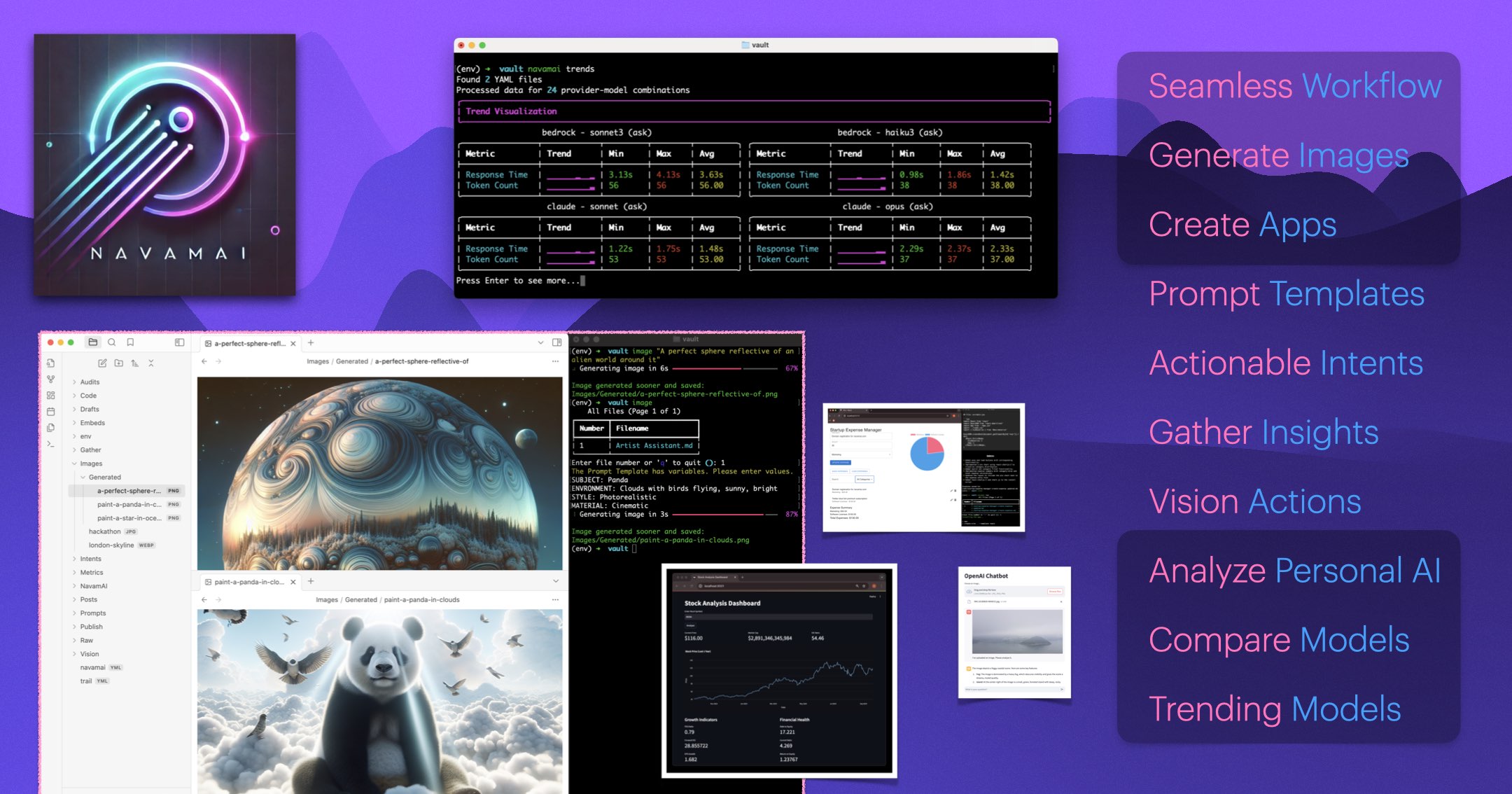
NavamAI is a command-line AI assistant that turns your terminal into a configurable, interactive personal AI app. It supports 15 LLMs across 7 providers, runs locally with Ollama, and pairs with markdown workflows in Obsidian, VS Code, and GitHub. Generate situational web apps, scrape articles to markdown, and run vision models without leaving the command line.
NavamAI screenshot 1
NavamAI screenshot 2
NavamAI screenshot 3

How to use NavamAI?

Go to a folder where you want to initialize NavamAI — an Obsidian vault, a VS Code project, or an empty folder. Install with `pip install -U navamai`, run `navamai init` to copy the default config and quick-start files, then `navamai id` to confirm the active provider and model. Start prompting with `ask "your question"`.

NavamAI Core Features

01

Terminal AI chat

The `ask` command opens a rich command-line UI with fast streaming responses, markdown-formatted tables, and syntax-highlighted code blocks — no browser tabs or extra apps to open.

02

Situational app generation

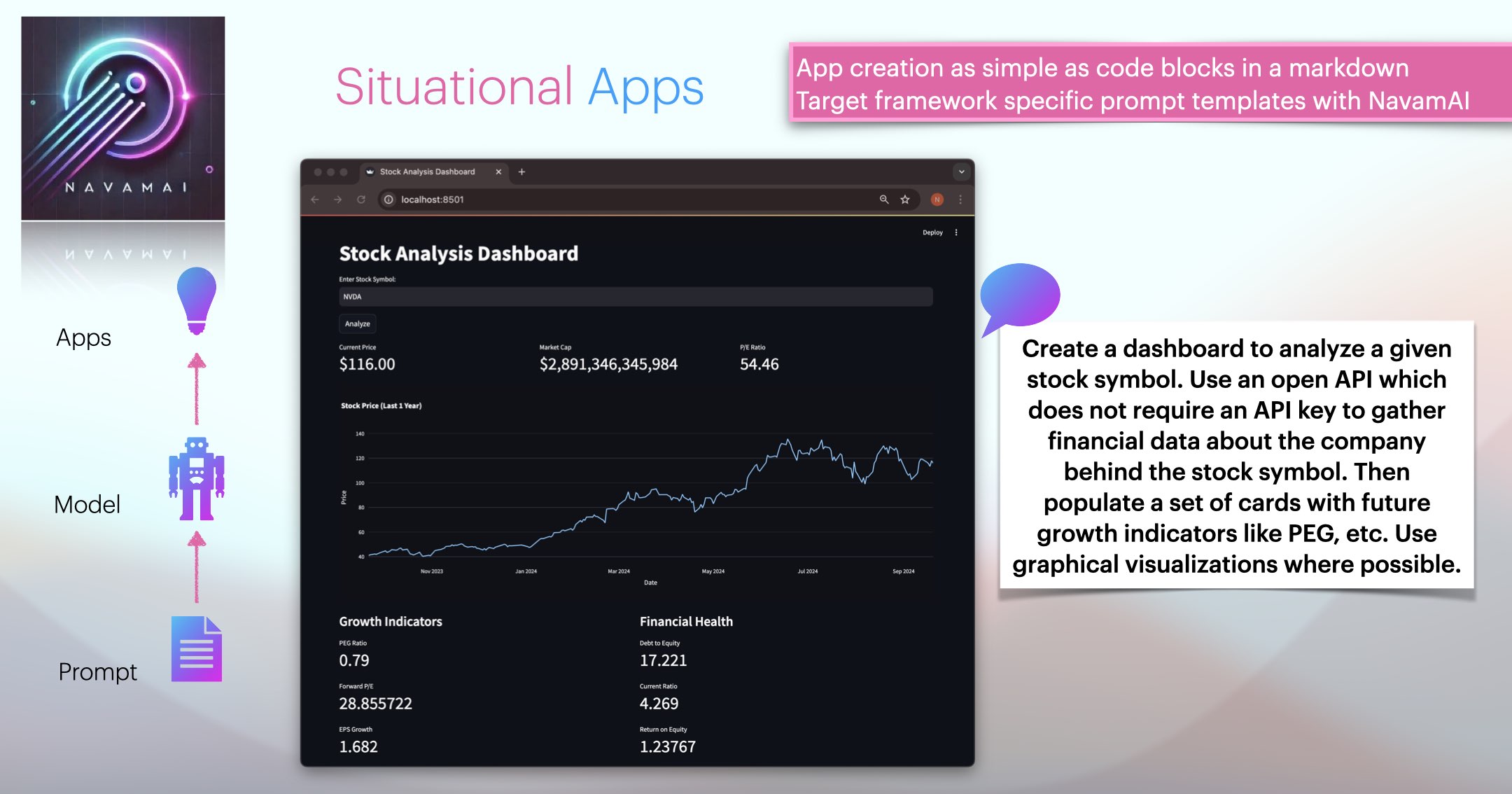
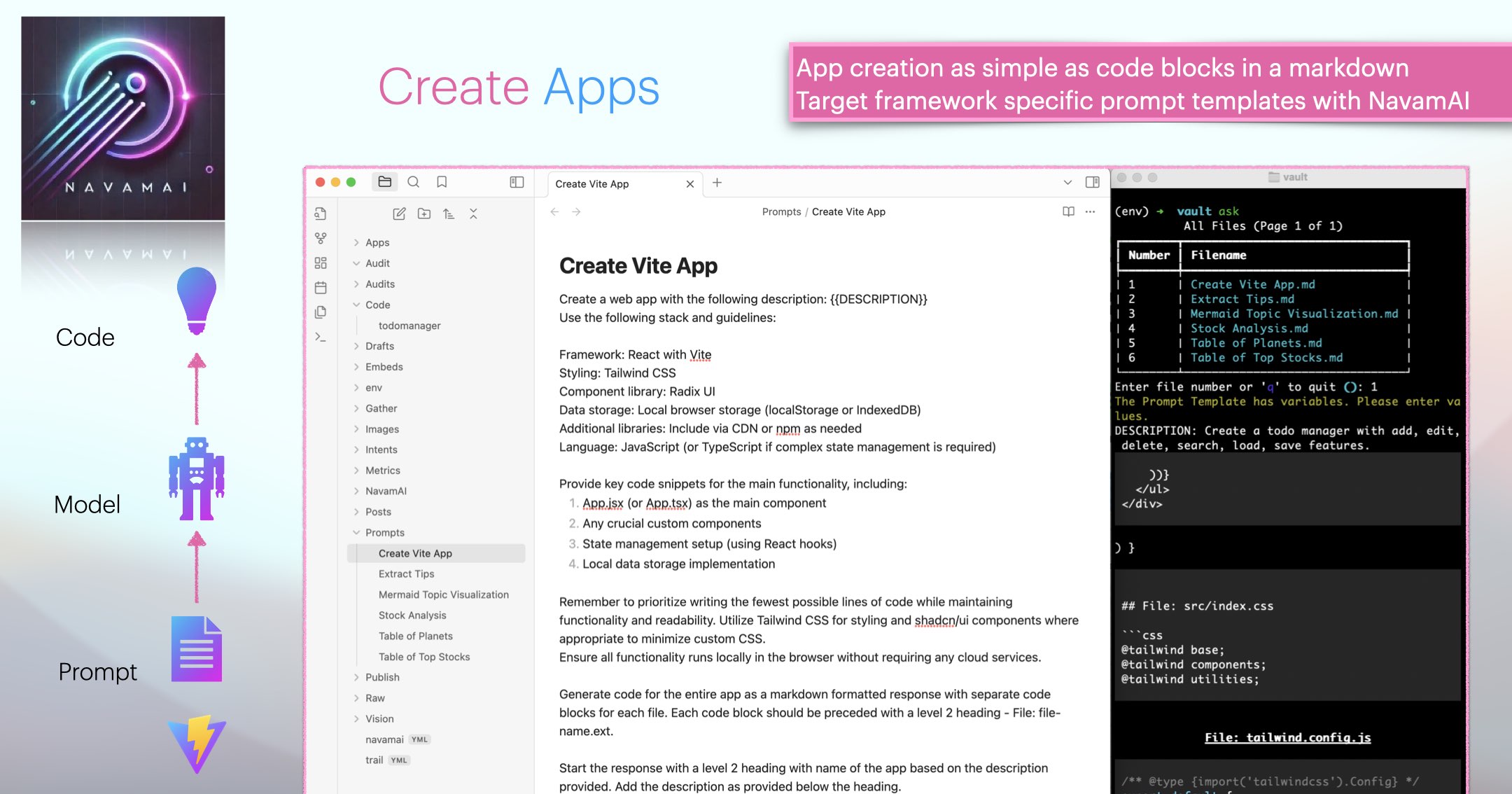
Create, install, and run full web apps from a prompt template with `ask`, then `navamai run`. NavamAI builds and runs the app on your laptop in seconds, with no setup or framework install.

03

Markdown workflow automation

NavamAI works with markdown content in Obsidian, VS Code, and static site generators like Material for MkDocs and Jekyll, so you can design a custom AI workflow that fits your existing tools.

04

Multi-model and multi-provider

Access 15 LLMs across 7 providers, including models from Anthropic, OpenAI, Google, and Meta, plus local models via Ollama. Switch providers and models with a one-line config change.

05

Refer and iterate

The `refer` command extracts structured content from raw text files and runs inline prompts to expand, change, or convert documents, letting you iterate on code and writing while keeping versioned copies.

06

Web gather and vision

`gather` scrapes an article from a webpage into clean markdown with images, and `vision` runs vision models on images from a local path, URL, or camera based on your prompt.

07

Usage audit and trends

`audit` analyzes your own NavamAI usage over time with a CLI dashboard and markdown report, while `trends` visualizes latency and token-length trends across models and providers.

08

Privacy controls

You decide which provider to trust or choose to run an LLM locally on your laptop. Per-command model config lets you keep sensitive work on local models and route the rest to hosted providers.

NavamAI Use Cases

Personal productivity and Q&A from the terminal

Generating and running situational web apps locally

Automating markdown writing in Obsidian and VS Code

Scraping articles to clean markdown for research

Running vision models on local screenshots and images

Comparing model quality and latency before committing to a provider

NavamAI Frequently Asked Questions

What is NavamAI?

NavamAI is a command-line AI assistant that turns your terminal into a configurable, interactive personal AI app, giving you the power of 15 LLMs and 7 providers from a few simple commands.

Which models and providers does NavamAI support?

NavamAI works with models from Anthropic, OpenAI, Google, and Meta, plus local models through Ollama — 15 LLMs across 7 providers that you can switch between with a simple config change.

Is NavamAI free?

Yes. NavamAI is open-source and free to install with `pip install navamai`, and every command is included.

Can I run models locally for privacy?

Yes. You can choose a hosted provider or run an LLM locally on your laptop with Ollama. Privacy controls let you decide which provider to trust and how private your data and preferences stay.

Which tools does NavamAI integrate with?

NavamAI works with markdown content in Obsidian, VS Code, and static site generators such as Material for MkDocs and Jekyll, so it fits into the workflow tools you already use.

NavamAI Product Background & Official Links

NavamAI Support Email & Customer service contact & Refund contact etc.

More Contact, visit the about us page(https://www.navamai.com/guides/models-environment-setup/)

NavamAI GitHub

NavamAI GitHub Link: https://github.com/navamai/navamai

NavamAI Pricing & Plans

Open Source

Free
Free (open source)
  • Install via `pip install navamai`
  • 15 LLMs across 7 providers
  • Local model support via Ollama
  • Full source on GitHub
  • All 15 commands included
Subscribe & upgrade now

NavamAI Tags

Open SourceFreePrivacy-FocusedOffline SupportFor DevelopersHighly CustomizableZero SetupMac CompatibleLinux CompatibleWindows Compatible

Best Suited Occupations for NavamAI

Software DevelopersIndie HackersAcademic ResearchersWriters & MarketersStudentsGeneral Consumers

Top Product Categories

LLMs & AI Agents

  • AI Chatbots
  • AI Agents
  • Prompt Engineering
  • AI Search Engine

Engineering & Code

  • AI Code Assistant
  • AI Code Generator
  • AI Developer Tools
  • No-Code & Low-Code

Image & Creative

  • AI Image Generator
  • AI Design Generator
  • AI Art Generator
  • Image-to-Image

Video & Animation

  • AI Video Generator
  • AI Short Video Maker
  • Digital Humans
  • AI Video Editor

Productivity & Office

  • AI Meeting Assistant
  • AI PDF Tools
  • AI Workflow
  • AI PPT Generator

Marketing & Sales

  • AI SEO Tools
  • AI Copywriting
  • AI Lead Generation
  • AI Sales Assistant

Audio & Voice

  • AI Voice Cloning
  • AI Text-to-Speech
  • AI Music Generator
  • AI Podcast Tools

Research & Data

  • AI Research Tools
  • AI Data Analytics
  • AI Knowledge Base
  • See All Categories >>
BAT AI TOOLS
  • Submit your AI tool
  • Pricing
  • Partnership
  • Feedback
  • About
WeChat QR
Scan QR code with WeChat
hi@bataitools.comClick icon to auto-copy email
English简体中文繁體中文EspañolالعربيةBahasa IndonesiaPortuguêsFrançais日本語РусскийDeutsch한국어TürkçeTiếng ViệtItalianoNederlandsPolskiไทยहिन्दीУкраїнськаفارسیবাংলাاردوSvenskaNorskDanskSuomiעברית

Copyright © 1970 BAT AI TOOLS. All Rights Reserved.

·Partnership·Privacy Policy·Terms of Service·Refund Policy